Brother CNC Automation with RoboJob robots

RoboJob automates every type of Brother Speedio machine with robots that load and unload your workpieces, from the S700X1 and R650X2 to the TC-32B. That works on the Brother you already run and on the new one you are about to buy.
Photos: RoboJob automation on Brother machines
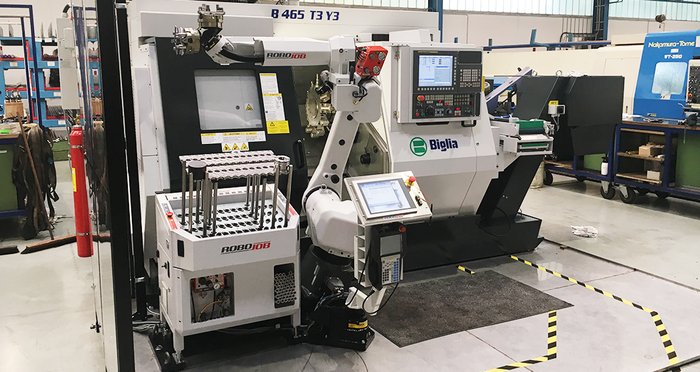
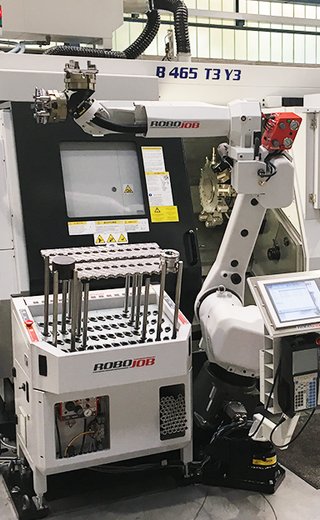
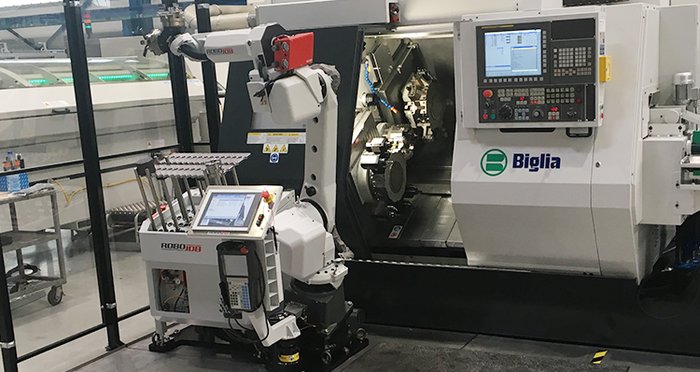
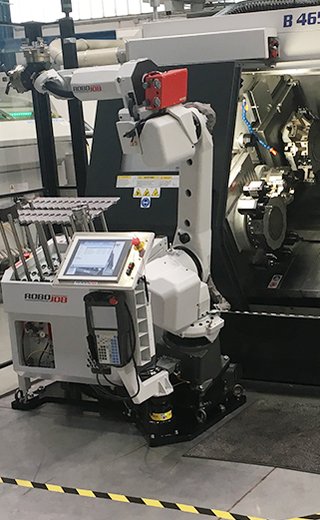
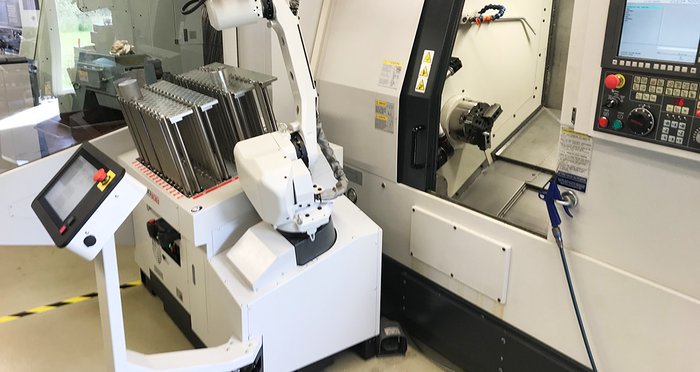
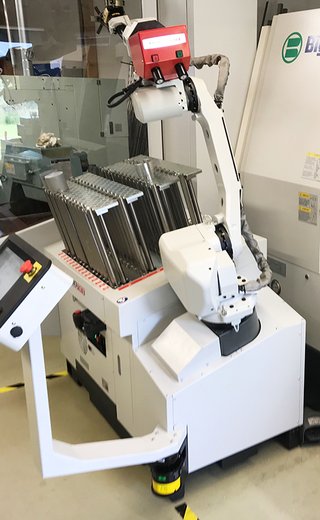
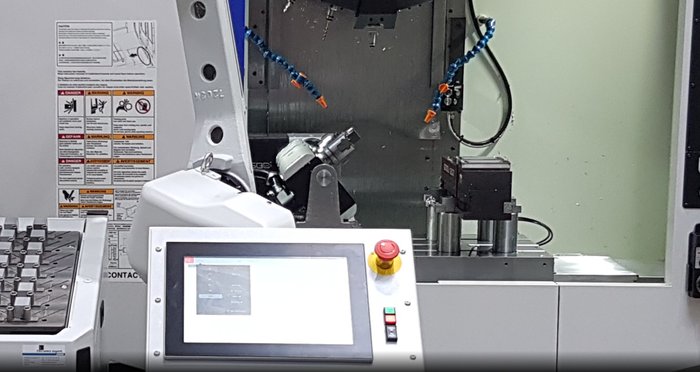
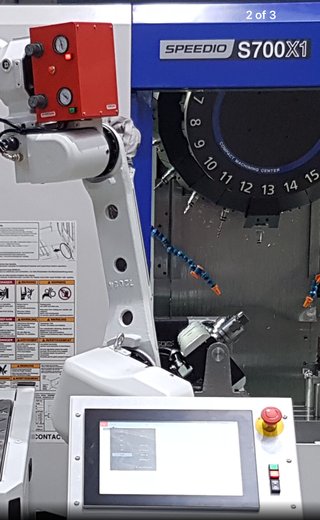
How RoboJob automates your Brother CNC machine
A RoboJob robot takes over the repetitive work at your Brother. It picks a raw workpiece, loads it into the vice or fixture, lets the Brother machine it and unloads the finished part. Your Brother keeps running during breaks, after the shift and at night, while your operators set up the next job, program and check quality.
You set up a new batch yourself in the RoboJob software, in a few minutes and without robot programming. With one click you change the robot speed, the gripping force of the grippers or let the robot grip eccentrically.
RoboJob automates every type of Brother CNC machine: Speedio S, R, TC and other compact machining centres, 5-axis machines and Speedio M mill-turn machines, new or existing. Some of the Brother models we have already automated:
- Brother Speedio S machining centres, such as the S700X1
- Brother Speedio R machining centres with two pallets, such as the R650X2
- Brother Speedio TC machining centres, such as the TC-32B
Is your model not listed? That does not matter: these are examples, not a limit. Our engineers check whether your Brother has an automatic door, automatic workholding and a robot interface, and tell you what is needed if it does not.
Which robot fits your Brother machining centre?
- Mill-Assist: compact loading and unloading for Brother machining centres, payload up to 70 kg, as on a Brother Speedio S700X1
- Pallet-Load: automation from pallets, payload up to 165 kg
- Tower: high-mix, low-volume production around the clock; swaps workpieces and fixtures, payload up to 165 kg
- Wall: space-efficient automation that serves several machining centres from one system, payload up to 165 kg
- Coby CNC: collaborative robot for a first step into automation, payload up to 10 kg
Not sure which one fits best? Compare all products side by side or take the quick test below.
Get more spindle hours out of your Brother
Brother users such as Vanro CNC free their operators for one-off parts and urgent repairs.
Typical payback is 6 to 18 months. Get the brochure, see a RoboJob at work in a demo or request an offer.
Why choose RoboJob for your Brother
RoboJob develops and builds standard automation for loading and unloading CNC lathes and milling machines. Since 2007 we have installed more than 2,000 robots in over 30 countries, on more than 100 CNC brands. Because every system is a standard product, you know in advance what you get, and installation is fast.
Headquarters and production are in Heist-op-den-Berg, Belgium, with Technology Centers in Germany and the United States. Our engineers know the robot, your Brother and the interface between them, and keep supporting you after installation.
Find the right robot for your Brother machine
Answer four quick questions about your Brother, your workpieces and your batch sizes, and we suggest the RoboJob that suits you best.
Brother users who automated with RoboJob
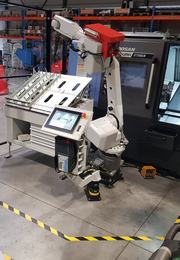
Vanro CNC automated a Brother Speedio S700X1 with a Mill-Assist Essential, next to Mazak and Doosan lathes with Turn-Assists. Read the story below.
Brother users who automated with RoboJob
Vanro CNC automated a Brother Speedio S700X1 with a Mill-Assist Essential, next to Mazak and Doosan lathes with Turn-Assists. Read the story below.
Frequently asked questions about Brother automation
How can I automate my Brother CNC machine?
RoboJob offers several proven automation solutions for Brother machines and has hands-on experience with the Brother Speedio S, R and TC machining centres. A RoboJob robot loads raw workpieces into the vice or fixture and unloads the finished parts, so your Brother keeps running during breaks, evenings and nights. The best solution depends on the machine type, your workpieces and your batch sizes. The quick test suggests the right one in four questions.
Which types of Brother machines can be automated?
All of them. RoboJob automates every type of Brother CNC machine: Speedio S, R, TC and other compact machining centres, 5-axis machines and Speedio M mill-turn machines, on new and existing machines. More broadly, RoboJob automates CNC lathes and milling machines of every brand, including turn-mill centres, multitasking machines and even grinding machines. The models on this page are examples, not a limit: if your Brother is not mentioned, RoboJob can still automate it.
How can I automate my Brother machining centre?
RoboJob offers several solutions for Brother machining centres and has already automated, among others, the Speedio S700X1, R650X2 and TC-32B. The most suitable solutions are Mill-Assist, a compact system for loading and unloading with a payload up to 70 kg; Pallet-Load, which loads and unloads from pallets with a payload up to 165 kg; the Tower for high-mix production with frequent changeovers, which also swaps fixtures; the Wall, which serves several machines from one space-efficient system; and Coby CNC, a collaborative robot for a first step into automation.
What is the best robot for a Brother Speedio mill?
For a compact Brother Speedio, such as the S700X1, R650X2 or TC-32B, the RoboJob Mill-Assist is a proven choice: a compact cell for loading and unloading 3-axis and 5-axis parts with a payload up to 70 kg. Vanro CNC runs a Brother S700X1 with a Mill-Assist Essential. For first-time automation, Coby CNC is a collaborative alternative; for high-mix production, the Tower also swaps fixtures.
Can I run my Brother unattended at night?
Yes. With a RoboJob robot loading and unloading your Brother, the machine keeps cutting after the last shift. Vanro CNC runs its Brother S700X1 with a Mill-Assist, so its operators are free for one-off parts and urgent repairs. For unattended nights and weekends with many different parts, the RoboJob Tower offers the most storage and also swaps fixtures.
How much does it cost to automate a Brother CNC machine?
The investment depends on the product, your workpieces and the options you need, so RoboJob makes a quote for your specific Brother. More telling than the price is the payback: a RoboJob typically pays for itself in 6 to 18 months, depending on how many extra spindle hours the robot adds. The ROI calculation shows it for your own figures, or request your offer directly.
What does a Brother machine need before a robot can load it?
A robot-ready Brother needs three things: an automatic door, automatic workholding that the control opens and closes (such as a pneumatic vice or a hydraulic chuck) and a robot interface, so the robot and the Brother control can exchange signals. If your existing Brother lacks one of these, it can usually be retrofitted. RoboJob engineers check your machine and tell you what is needed.
Which Brother machines has RoboJob already automated?
RoboJob robots run on, among others, the Brother Speedio S700X1, R650X2 and TC-32B machining centres, including 5-axis work. Brother customers include Vanro CNC in Belgium. This is only a selection: RoboJob automates every type of Brother machine, so a model that is not listed here can be automated too.
How much more productive does a Brother get with a robot?
That depends on how many hours the robot adds. At Vanro CNC, the Mill-Assist on the Brother S700X1 freed operators from repetitive work for one-off parts and urgent repairs. A RoboJob typically pays for itself in 6 to 18 months.
Do I need robot programming skills to automate my Brother?
No. With RoboJob you set up a new job in the software with a few clicks, without writing robot programs, so operators set up a new batch within minutes. At Vanro CNC, operators were freed from repetitive work and now focus on one-off parts and urgent repairs.
How long does it take to install a robot on a Brother?
With a standard system such as a RoboJob, installation takes days rather than weeks. The exact time depends on the product and on whether your Brother first needs an automatic door or a robot interface. Want to see a RoboJob at work first? Request a demo.
Can one robot serve several Brother machines or other CNC brands?
Yes. The RoboJob Wall serves several machines from one system, and RoboJob automates more than 100 CNC brands. A shop with Brother machines next to Mazak, DMG Mori or Okuma machines can work with one automation partner for all of them.
Talk to a specialist about automating your Brother
Tell us which Brother you run and which workpieces you make on it. Our area sales managers know Brother machines well and tell you which RoboJob fits and what it can bring you.


Jan Van De Wouwer
Sales Manager

Austin Davis
Area Sales Manager

Nathan Miliante
Area Sales ManagerRoboJob automates more than 100 CNC brands
-
Mazak

RoboJob automates every type of Mazak CNC machine, from Integrex multitasking machines and Quick Turn lathes to Mazak machining centres, new or existing.
-
DN Solutions

RoboJob automates every type of DN Solutions and Doosan CNC machine, from Puma and Lynx lathes to DNM, DVF and VC machining centres, new or existing.
-
DMG Mori

RoboJob automates every type of DMG Mori CNC machine, from CTX, CLX and NLX lathes and NTX turn-mill centres to CMX and DMU machining centres, new or existing.
-
Okuma

RoboJob automates every type of Okuma CNC machine, from LB, LT and LU lathes and Multus multitasking machines to Okuma machining centres, new or existing.
-
Emco

RoboJob automates every type of Emco CNC machine, from Maxxturn, Hyperturn and Emcoturn lathes to Emco milling machines, new or existing.
-
Haas

RoboJob automates every type of Haas CNC machine, from VF and UMC milling machines to ST and DS lathes, new or existing.
-
Hedelius

RoboJob automates every type of Hedelius machining centre, from Acura to RS and 5-axis machines, new or existing.
-
Hurco

RoboJob automates every type of Hurco CNC machine, from VMX and VC machining centres to TMX lathes, new or existing.
-
Nakamura-Tome

RoboJob automates every type of Nakamura-Tome CNC machine, from WT and WY lathes to NTY, NTRX and JX multitasking machines, new or existing.
-
Kitamura

RoboJob automates every type of Kitamura machining centre, from the Mycenter series to horizontal and 5-axis machines, new or existing.
-
Hwacheon

RoboJob automates every type of Hwacheon CNC machine, from Hi-TECH lathes to Hwacheon machining centres, new or existing.