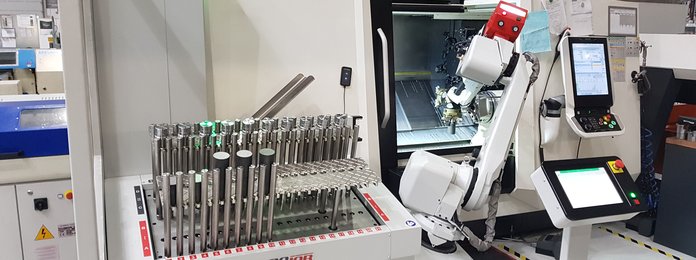
3 tips to keep your RoboJob system running at its best even after the summer
How do you keep your RoboJob system running smoothly after the summer?
A RoboJob system that runs smoothly and efficiently after the summer actually starts with proper preparation at the beginning of the summer. By making the necessary preparations in good time, you lay the foundations for a smooth restart and consistent performance. In this blog, we share three tips to get your RoboJob system ready for a hassle-free autumn.
1. Back up the software
The software is an essential part of every RoboJob system and plays a crucial role in its operation. We therefore strongly recommend that you back up the software approximately every two weeks. This will prevent important data from being lost in the event of a technical problem or an unexpected fault.
It is best to store these backups on an external USB stick. A 4 GB USB stick should be sufficient. By storing your backups externally, you always have an extra layer of security and, if necessary, the software can be restored quickly and easily. A good backup routine is a small effort that can make a big difference to the continuity of your production process.
2. Clean the light curtains and the laser scanner thoroughly
The second tip we’d like to share is to always leave the RoboJob system clean and tidy. Thoroughly cleaning sensitive parts, such as the light curtains and the laser scanner, is essential. Clean these components with a microfibre cloth and a mild, alcohol-free cleaning product. This will prevent damage and ensure the sensors continue to function optimally.
This simple maintenance step is important because dirt, dust or stains can affect detection. In such cases, there is a risk that the system may detect objects or signals that are not actually present. By keeping the system clean, you contribute directly to its reliable and trouble-free operation.
3. Replace the batteries in time
Check the batteries in your RoboJob system regularly and replace them in good time when necessary. Batteries in good working order are important to ensure that all components continue to function reliably and to avoid unexpected interruptions. By carrying out this preventive check, you can avoid unnecessary downtime and ensure that the system continues to perform optimally in the long term.
Need help with your RoboJob system?
If you do encounter a problem with your system or have any further questions, you are, of course, always welcome to contact our customer service department.
Frequently asked questions about maintaining your RoboJob system
How often should I back up the software of my RoboJob system?
RoboJob strongly recommends backing up the software approximately every two weeks, so important data is not lost in the event of a technical problem or an unexpected fault.
Where should I store a backup of my RoboJob software?
Store your backups on an external USB stick; a 4 GB USB stick should be sufficient. That way the software can be restored quickly and easily if necessary.
How do I clean the light curtains and laser scanner of a RoboJob system?
Clean them with a microfibre cloth and a mild, alcohol-free cleaning product. Dirt, dust or stains can affect detection, so regular cleaning keeps the system reliable.
Why should I check the batteries of my RoboJob system?
Batteries in good working order ensure that all components continue to function reliably. Checking and replacing them in good time helps you avoid unexpected interruptions and unnecessary downtime.
Who can I contact if I have a problem with my RoboJob system?
Contact RoboJob customer service via service.robojob.eu. For other questions, you can reach RoboJob through the contact page.